Caps Lock

Caps Lock

Home  ›  System Utilities  ›  Other
DOWNLOAD 295.51 KB
4  (1 vote)
2.0
This program received 3 awards
Questions & answers
Wiki
Suggest a correction

Video tutorial & screenshots

  • About
  • Caps Lock On
  • Caps Lock Off

Editorial review

Comments

Francisco Martínez Senior editor

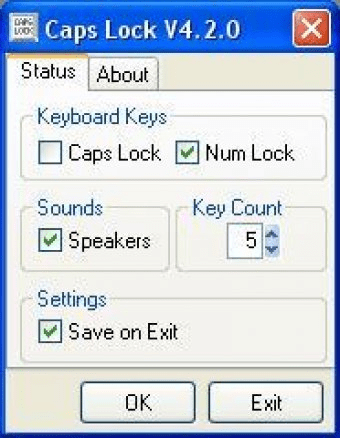
Caps Lock is a free and useful little utility that will keep you informed about the status of both the Caps Lock and the Num Lock keys. It will send an auditory warning to your system’s speakers every X number of keystrokes, so that you know at all times – without needing to check the light in your keyboard – if your Caps Lock key is on or off.
I must admit that it took me more than a few minutes to acknowledge the usefulness of this simple tool. If you are looking at the screen while typing, you do not need anybody to tell you if you’re writing your text using only upper case letters or not. Besides, every time you press the Caps Lock key, your computer will beep back at you, using a certain tone when switching it on and a different one when the light goes off. Oh, and you have that little light too! So, why should anyone would ever need a tool like this? The truth is that most professional typists – for instance - do not look at the screen (nor the keyboard) when transcribing a text from its paper version to a digital file, so it is easy for them to lose track every now and then of the status of the Caps Lock and the Num Lock keys. This utility may remind them every few keystrokes (from 1 to 25) if those keys are on or off. And then we have blind and visually impaired persons frantically typing on their keyboards, not knowing if the text they are writing is in the right letter case or not.

So this tiny utility, with its characteristic audible warning, is more useful than it looks at first glance, at least for those who – for whatever reason – cannot rely on their sight to know if these keys are locked or not.

Pros

  • Offers a very simple but useful functionality.
  • Auditory warning option.

Cons

  • None.

What's new in version 4.2

New to Version 4.2.0
* Select the number of key presses made between the beep sound (1-25, default 5).
* Option to save all user prefered settings on program Exit.
* Prefered settings automatically configured on program startup.

There are further significant changes to the Caps Lock program code. Behind the scenes changes include: a preference file is generated in the target computer's application data folder. This is a text file that Caps Lock looks for during startup and exit. If it is not found or cannot be read correctly, default settings are loaded during the next program startup. Please look out for these changes. Testing on my computers has all worked fine.
 

Publisher's description

A utility program that gives an on-screen display and optional audible indication of the keyboard Caps Lock key state.

Leave a comment


loading
Download Software Informer Client